Scam detection for iOS
Don't get scammed.
Get certain.
Paste a text, scan a QR code, check a link. SketchyScan tells you if it's safe or a scam — in seconds.
Download on the
App Store
Free to download. No signup required.
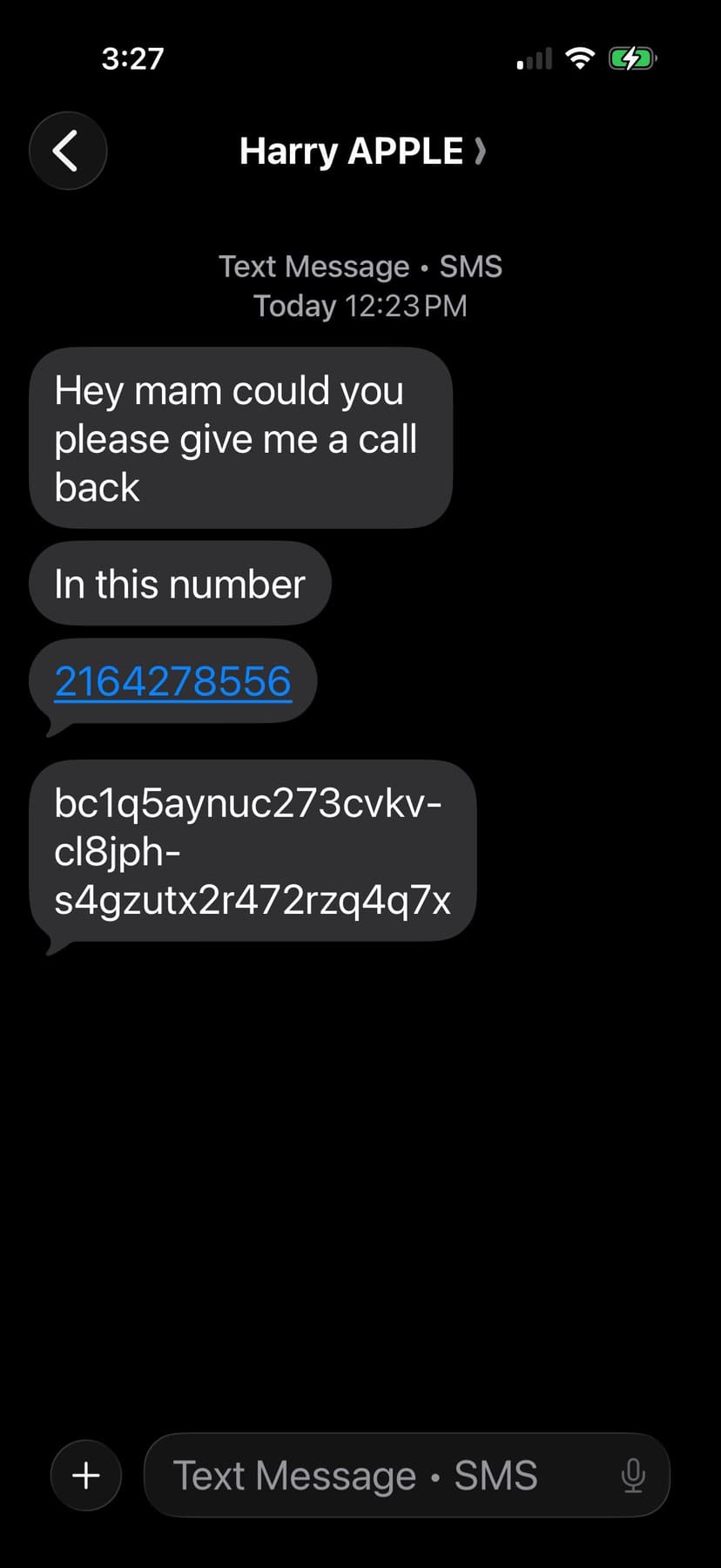
You get a suspicious text
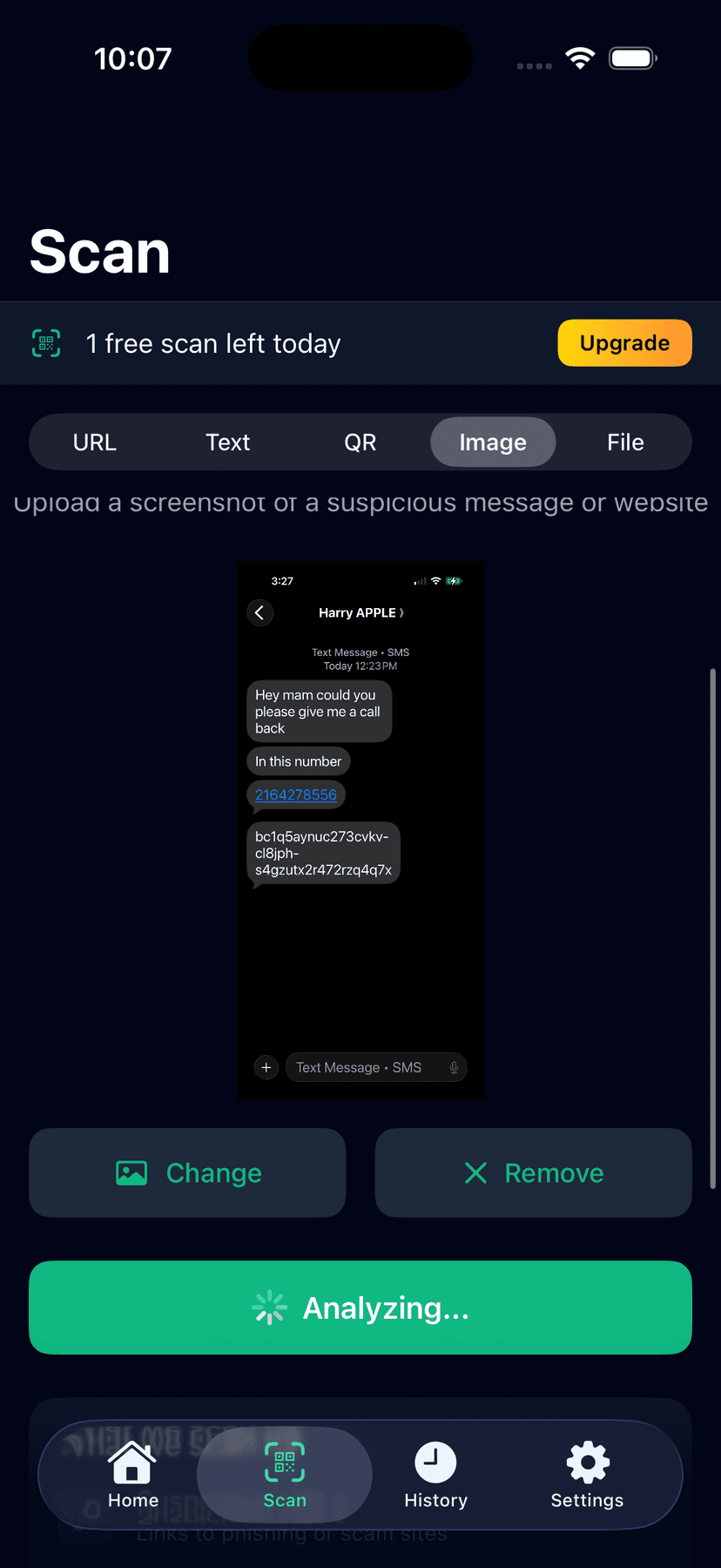
Upload the screenshot
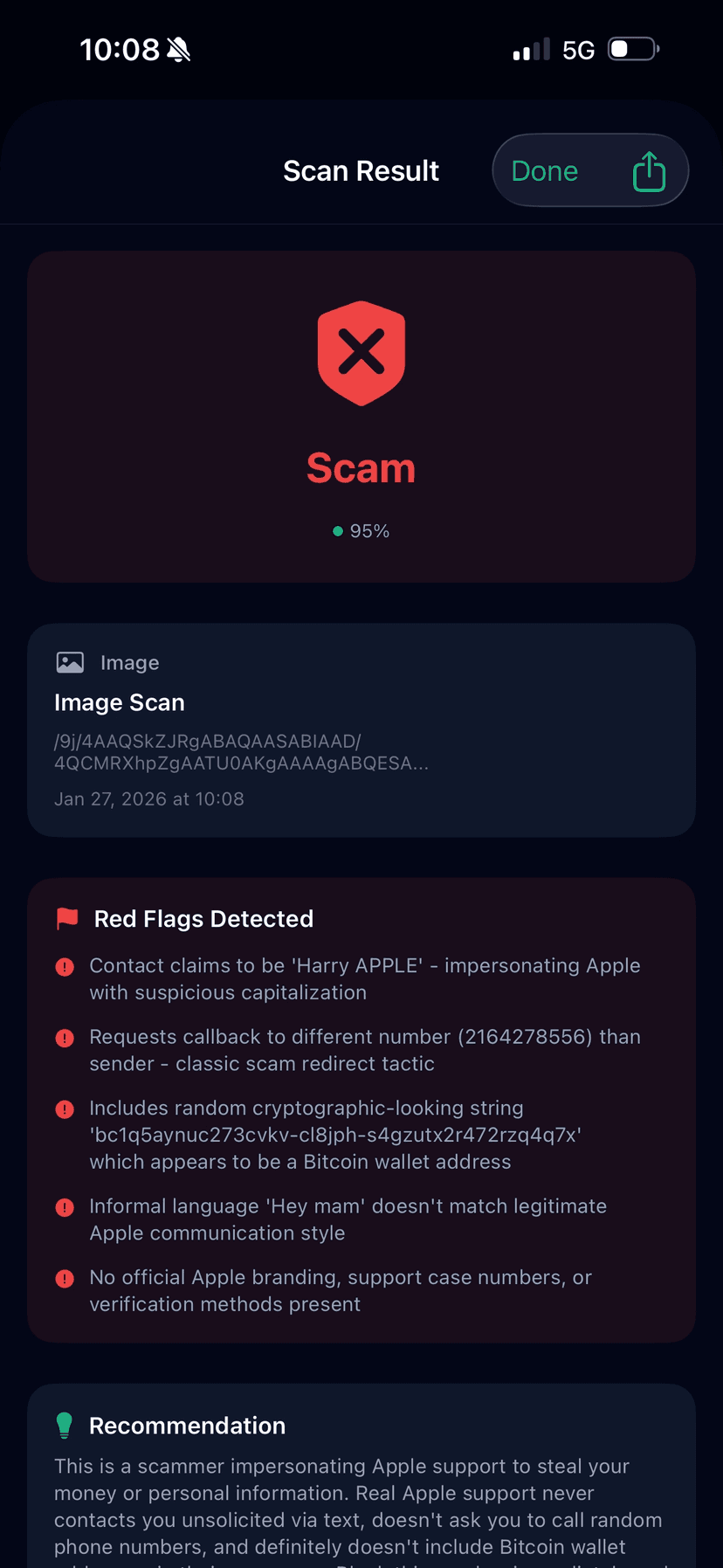
Get your answer
You get a suspicious text
Upload the screenshot
Get your answer
Scammers Are Getting Smarter
Every day, millions of people receive texts, emails, and calls designed to steal their money. The people we love most are often the most vulnerable.
$10B+
Lost to scams in 2023
Americans reported losing more than ever
400%
Increase in text scams
Since 2019, and still rising
1 in 3
Adults over 65 targeted
Every single year
Protect the People You Love
Your parents get a text saying their bank account is compromised. Your grandma receives a call claiming to be from the IRS. Your uncle clicks a link that looks exactly like Amazon.
These aren't just statistics. They're real families losing real money. The average victim loses over $1,500 — and for seniors, that number jumps to over $9,000.
You can't always be there to check every message they receive. But you can give them a tool that is.
“My dad almost wired $2,000 to someone pretending to be his grandson. Now he runs every unusual message through SketchyScan first. It's become his safety net — and my peace of mind.”
— Karen T., Tampa FL
Who's Most at Risk?
Parents & Grandparents
Adults 60+ are 5x more likely to lose money to tech support scams and often don't report it out of embarrassment.
Anyone with a Phone
Smishing (SMS phishing) has exploded. That “package delivery” or “account suspended” text? Probably fake.
Online Shoppers
Fake websites, QR code scams, and too-good-to-be-true deals trap thousands of people every day.
Features
Scan anything suspicious.
Screenshot Scanner
Snap a photo of any suspicious text or email. AI reads and analyzes it.
Link Checker
Paste any URL to check for phishing, typosquatting, and redirects.
QR Code Scanner
Scan QR codes before visiting. Know where they really lead.
Text Analysis
Paste any message to detect urgency tactics and scam language.
Premium
Always-on protection.
Safari Protection
Blocks dangerous websites automatically while you browse.
SMS Filter
Scam texts get filtered to junk before they reach your inbox.
File Scanner
Analyze PDFs and documents for fake invoices and phishing.
Breach Monitoring
Get alerted when your email appears in a data breach.
Ask an Expert
Get human review from a security specialist on suspicious messages.
What Our Users Say
Real people, real protection. See how SketchyScan helps keep our users safe.
“I got a text saying my Amazon account was locked. It looked so real. I almost clicked the link but checked it with SketchyScan first — total scam. This app paid for itself right there.”
Linda R.
Retired Nurse, 62
“My wife and I were getting 3-4 scam texts a week. Now we just scan them and delete. No more second-guessing. I even got my brother to download it after he almost fell for a fake toll road text.”
Robert K.
Retired, Florida
“My daughter set this up on my phone after I clicked a bad link last year. Now I check everything. It explains exactly why something is a scam in plain English. I actually understand it.”
Diane M.
Grandmother of 5
Pricing
Start free. Upgrade when you want.
No credit card required. No signup needed.
Premium
- Unlimited scans
- Safari protection
- SMS scam filter
- File & PDF scanning
- Breach monitoring
- Ask an Expert
- Full scan history
FAQ
Common questions.
How does SketchyScan detect scams?
SketchyScan uses AI to analyze content for scam patterns including urgency tactics, impersonation attempts, suspicious links, and phishing indicators. For URLs, we also check domain age, SSL certificates, and typosquatting patterns.